Turn Your 3D Garments into a Product Configurator Software
You design the garments. Konfiwear turns them into a white-label 3D product configurator your apparel clients customize in real-time — picking colors, placing logos, personalizing names. Every design generates techpack files automatically.
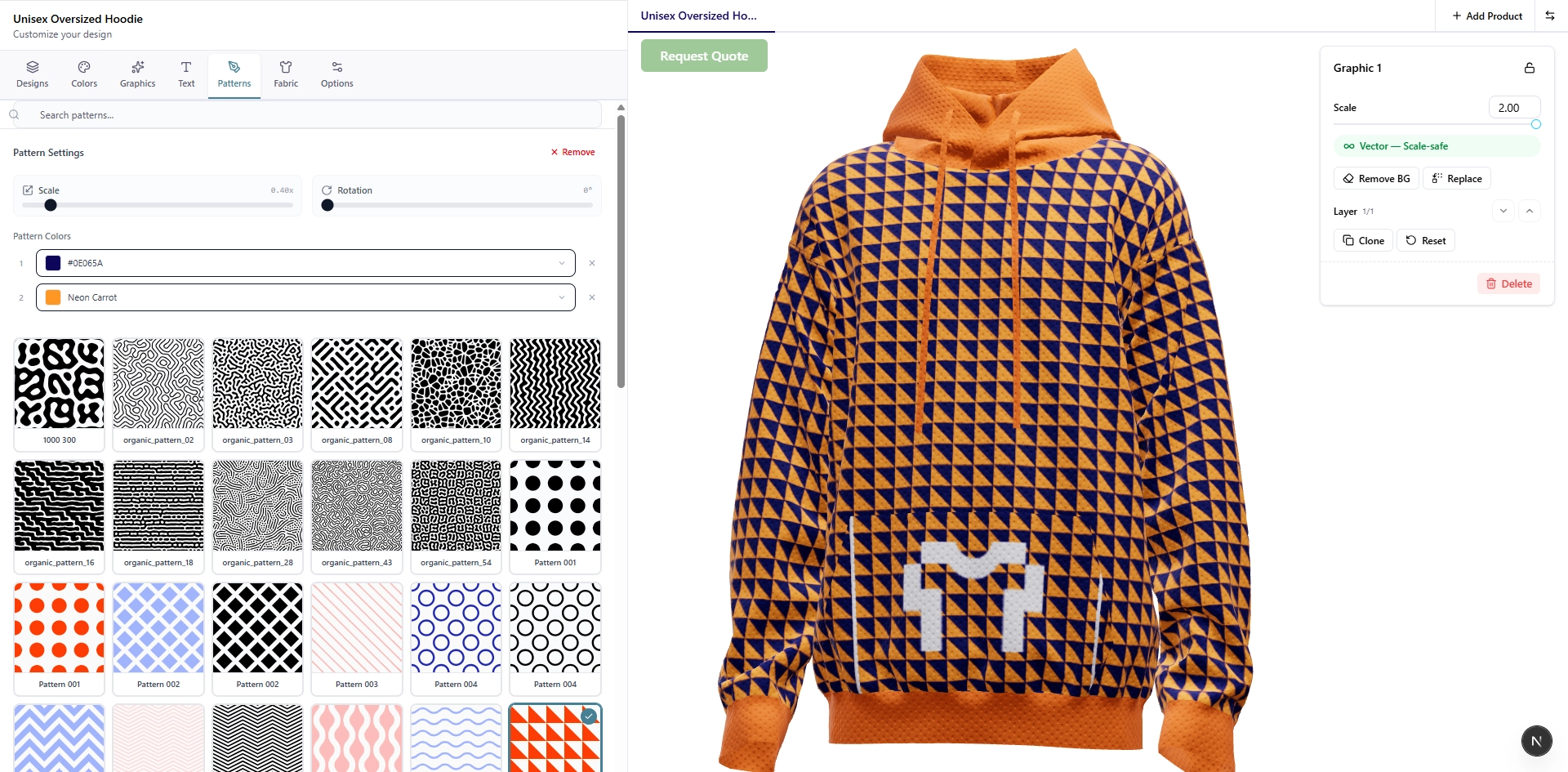
From 3D Apparel Design to Live Online Product Configurator in Four Steps
Import or Pick Your Garments
Upload your CLO3D garment models with mapped color zones, print areas, and production patterns. Or start instantly — select blank garments from the Product Library: hoodies, polos, jackets, tees, and more. Either way, the 3D clothing configurator is ready to go.
Set Up a Client Workspace
Create a Workspace for each apparel client — their logo, brand palette, and curated product catalog. The online product configurator runs under their brand. You control which garments they see, which colors they use, and how orders flow.
Clients Customize in 3D
Share the store link. Your client’s team opens the 3D product configurator in any browser — rotates the garment, picks colors, places logos, adds names. No apparel design software needed on their side. No training. No downloads. They see exactly what they’ll get.
Collect Orders, Ship Production Files
Set each Workspace to quote mode for custom pricing or cart mode for self-service ordering. Every approved design generates production-ready files — print patterns, Pantone specs, separated artwork mapped to garment patterns. Your production partner prints exactly what the client designed.
Product Configurator Software Built for 3D Fashion Design Workflows
CLO3D Import — Use Your Own Models
Your 3D apparel designs don’t stay locked in CLO3D. Import garment models with color zones, seam lines, and production patterns intact. They load directly into the 3D product configurator — same fidelity, now customer-facing.
White-Label Everything
The configurator, the storefront, the approval links — all run under your studio’s brand or your client’s brand. Build a white label clothing configurator experience without touching code. Your clients never see Konfiwear unless you choose.
Product Library — No Modeling Required
Don’t have 3D models for every garment? The Product Library includes pre-built blanks — hoodies, jerseys, polos, jackets, shorts, caps — with color zones and production patterns already mapped. Mix your CLO3D originals with library models in the same catalog.
Browse the Product Library→Brand-Locked Palettes
Lock each client Workspace to their approved colors, logo files, and fonts. Buyers personalize within the guidelines — no off-brand colors, no unauthorized graphics. Every customized garment stays on-spec without manual review.
Quote Mode for Bespoke, Cart Mode for Scale
Offering bespoke apparel design services? Use quote mode — clients submit a design, you review and price it. Running a private label apparel catalog? Switch to cart mode for self-service. Same configurator, different checkout flow per Workspace.
Learn about Quote Management→Production Files — No Handoff Needed
Every approved order exports print-ready files: Pantone color specifications, separated artwork layers, logo placements mapped to garment patterns. Sublimation, DTG, screen print, embroidery — production gets exactly what the client approved in the 3D configurator.
Give Your Apparel Clients a 3D Product Configurator They'll Actually Use
Start a 14-day free trial. Import a CLO3D model or grab a blank from the Product Library, set up a client Workspace, and share the link. See your 3D fashion design become an interactive online product configurator in minutes.